~/blog /
Building My GitHub Presence with Copilot App
Experimenting with the GitHub Copilot App alongside my existing Copilot workflow
Intro
I’ve been using GitHub Copilot tools for a while now, each for their own purpose:
- Copilot in VS Code — inline completions and chat while coding, my daily driver
- Copilot CLI — I use this interchangeably with VS Code depending on what I’m doing
- Copilot Cloud Agent — great for kicking off sessions remotely when I’m away from my desk
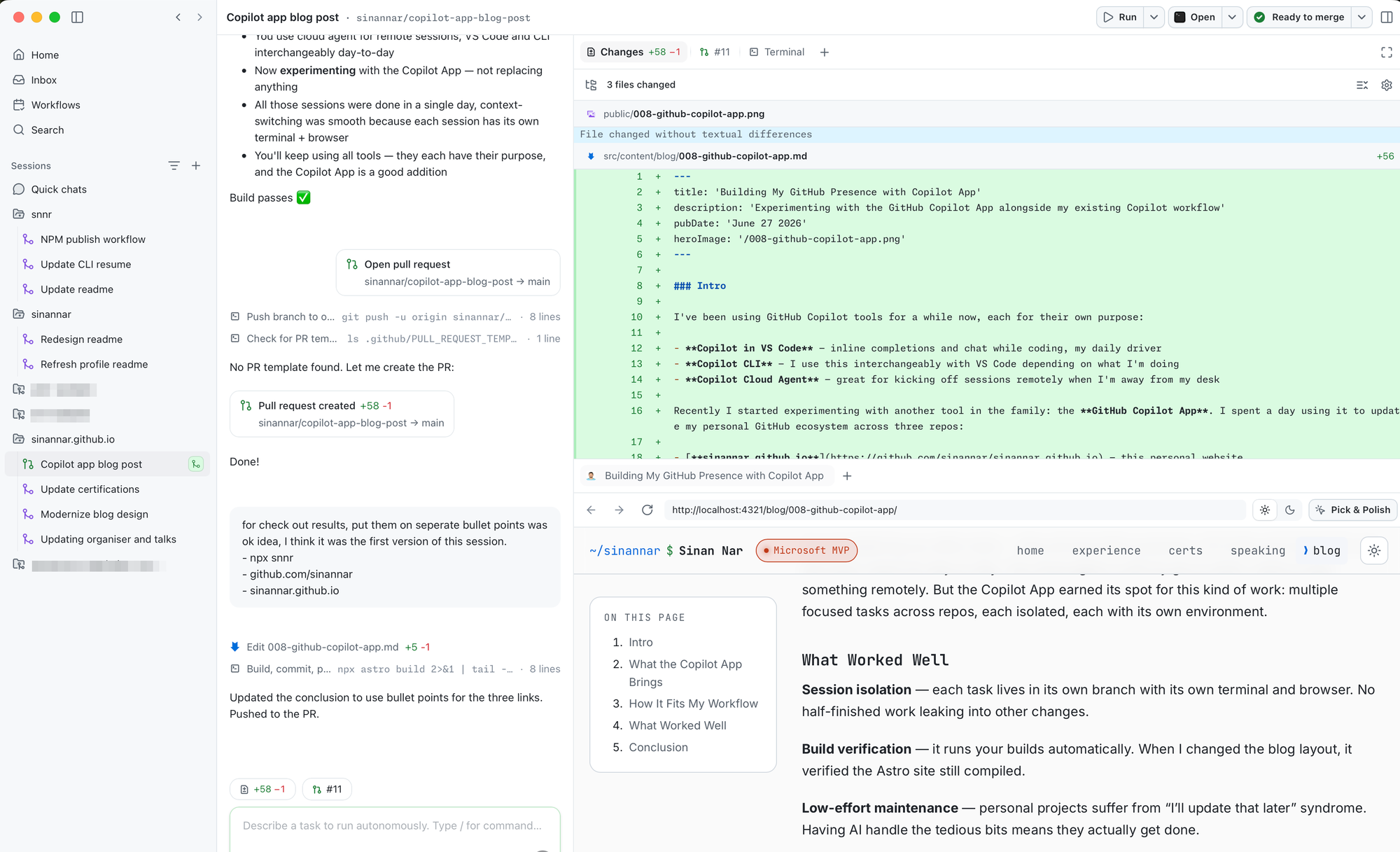
Recently I started experimenting with another tool in the family: the GitHub Copilot App. I spent a day using it to update my personal GitHub ecosystem across three repos:
- sinannar.github.io — this personal website
- sinannar — my GitHub profile README
- snnr — my npm package (
npx snnr)
What the Copilot App Brings
The Copilot App is a standalone desktop application with session-based workspaces. Each session gets its own git worktree and branch. You describe what you want, the AI implements it, runs the build, and commits.
What stood out to me is that each session provides its own terminal and browser preview. So when I was jumping between tasks, the context was already there — no need to re-orient myself. I worked through all of these sessions in a single day:
snnr: NPM publish workflow · Update CLI resume · Update readme
sinannar: Redesign readme · Refresh profile readme
sinannar.github.io: Update certifications · Modernize blog design · Updating organiser and talks
Context-switching between sessions didn’t create a problem because each one had its full environment ready to go.
How It Fits My Workflow
I’m not replacing my other tools — they all have their purposes. VS Code and Copilot CLI are still what I reach for day-to-day. The cloud agent is still my go-to when I want to start something remotely. But the Copilot App earned its spot for this kind of work: multiple focused tasks across repos, each isolated, each with its own environment.
What Worked Well
Session isolation — each task lives in its own branch with its own terminal and browser. No half-finished work leaking into other changes.
Build verification — it runs your builds automatically. When I changed the blog layout, it verified the Astro site still compiled.
Low-effort maintenance — personal projects suffer from “I’ll update that later” syndrome. Having AI handle the tedious bits means they actually get done.
Conclusion
The Copilot App is a solid addition to the toolkit. It’s not a replacement for VS Code, CLI, or the cloud agent — but for a day of focused maintenance work across multiple repos, it made the process smooth. I’ll keep experimenting with it.
Check out the results:
- Run
npx snnrin your terminal to see my CLI resume - Visit my GitHub profile to see the redesigned README
- And you’re already on sinannar.github.io reading this post 🚀